For garage organization companies

Quote the garage before you leave the driveway.

Text the job to the AI assistant and the quote, with a deposit link, is ready before you pull out. Cabinets, slatwall, racks and floors, installs and payments in one app.

Set up in a few minutes. 14 days free, no card needed.

JobCRM assistantOnline
In the app · Claude · ChatGPT
Draft a quote for the Hendersons: garage cabinets $4,800, slatwall and racks $1,350, epoxy floor $2,200.
You · 9:41 AM
Found client: Henderson residence Created quote · 3 line items
Q-1046 · Henderson garageDraft
Garage cabinets$4,800.00
Slatwall, racks and epoxy floor$3,550.00
Total$8,350.00
Drafted for $8,350. Want me to email it to the Hendersons with a link to approve and pay a 50% deposit?
Approve and send Edit first
A finished garage with grey cabinets, slatwall, a butcher-block workbench and an epoxy floor
Quote · Henderson garageCabinets, slatwall, overhead racks and an epoxy floor, in one quote
Trusted by closet companies, multi-location dealers and manufacturers
“It streamlines our orders, invoices, and payments, leading to enhanced customer communication, increased revenue, and improved AR and cash flow.”
Scott R., President, Eagle Woodworking
“It’s the best money we spend every month. It’s been a godsend for us.”
Terry F., Owner, Dream Closets Inc.
Read the story →
“It’s like moving from a Honda to a Bentley.”
Joe L., Owner, Bella Systems, seven custom-closet locations
Read the story →

A complete app. Use it on its own, or with Claude or ChatGPT.

On your phone
Quote from the driveway, check the schedule, take a payment. Works on any phone, no download needed.
In the office
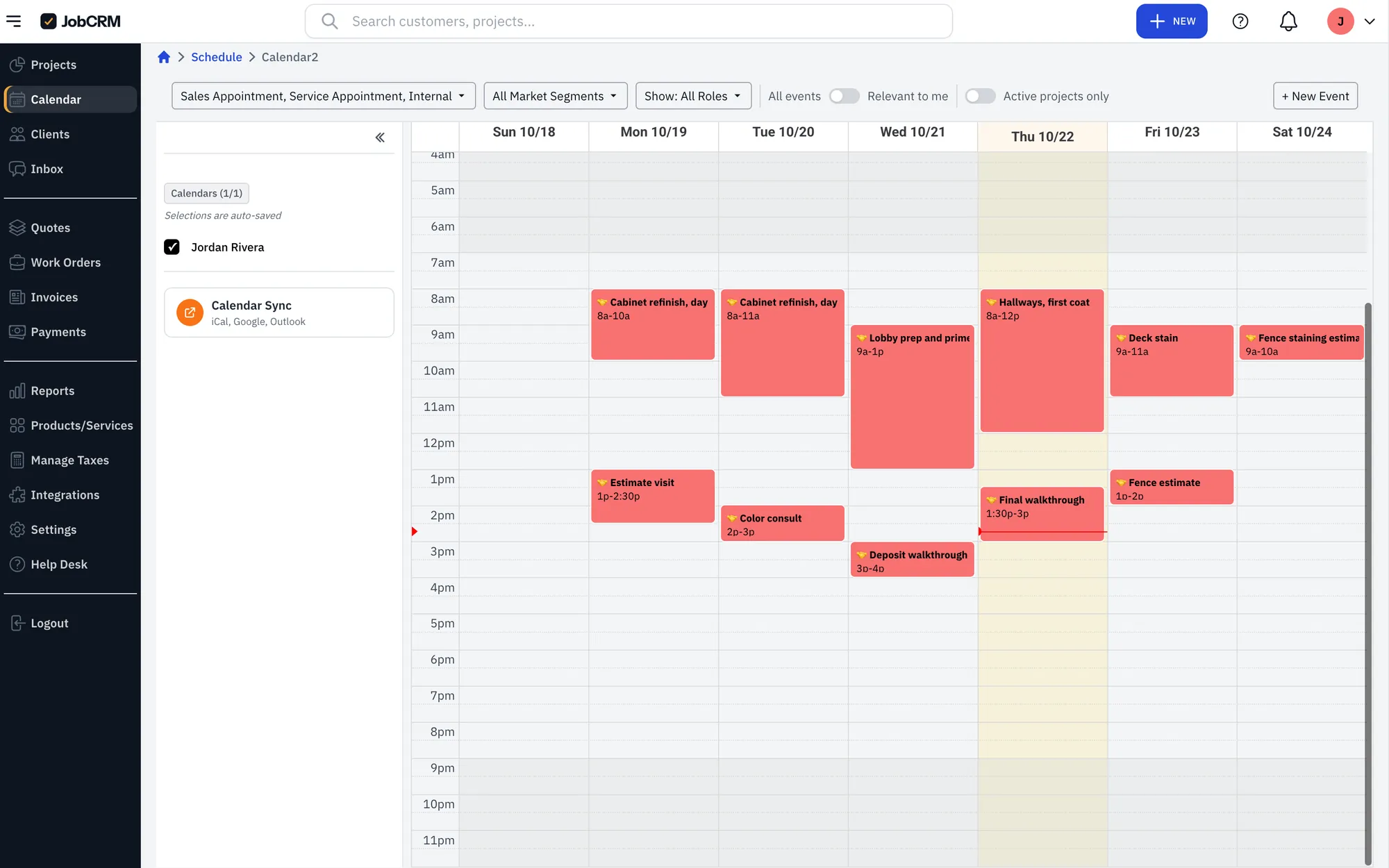
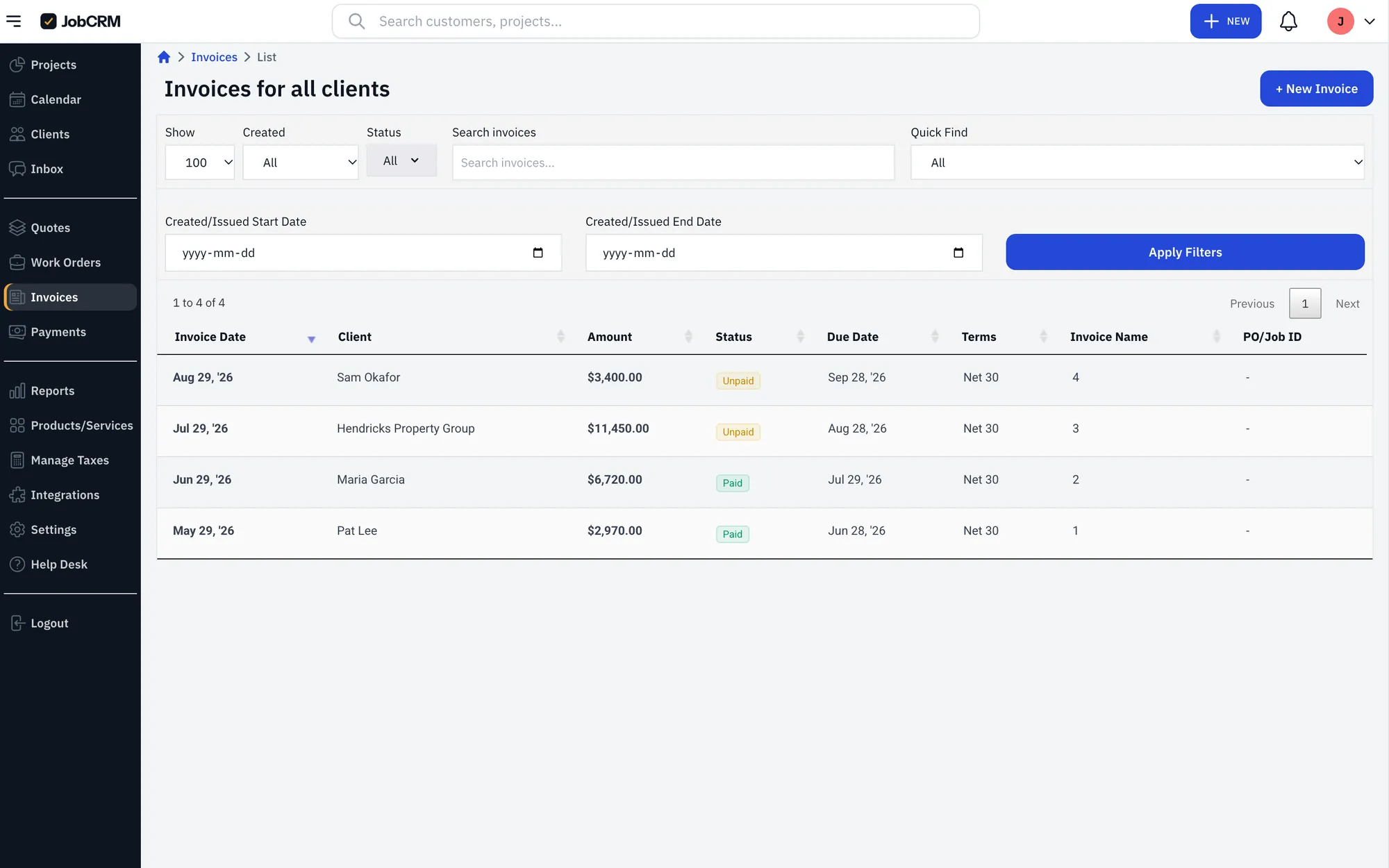
The full pipeline, scheduling, invoices, reports and team permissions on a big screen.
In Claude or ChatGPT
An optional extra: connect the Claude or ChatGPT you already use and run the same records by asking.

Set up for a garage company in a few minutes.

Your job stages are ready from the consult to paid in full, with a Go Back stage for punch-list visits. Starter items for cabinets, slatwall, overhead racks and floor coatings are in, so the first quote takes minutes.

  1. 1Lead
  2. 2Consult
  3. 3Design
  4. 4Quote Sent
  5. 5Sold (Deposit)
  6. 6Ordered
  7. 7Install Scheduled
  8. 8Go Back
  9. 9Final Invoice
  10. 10Paid in Full
Works with ClaudeChatGPTQuickBooks OnlineClosetProMailchimp

Ask it the way you’d ask your office manager.

Use the assistant inside JobCRM, or connect the one you already use. Either way it reads and writes your real records: clients, jobs, quotes, invoices, your schedule and price list. No exporting, no copy and paste.

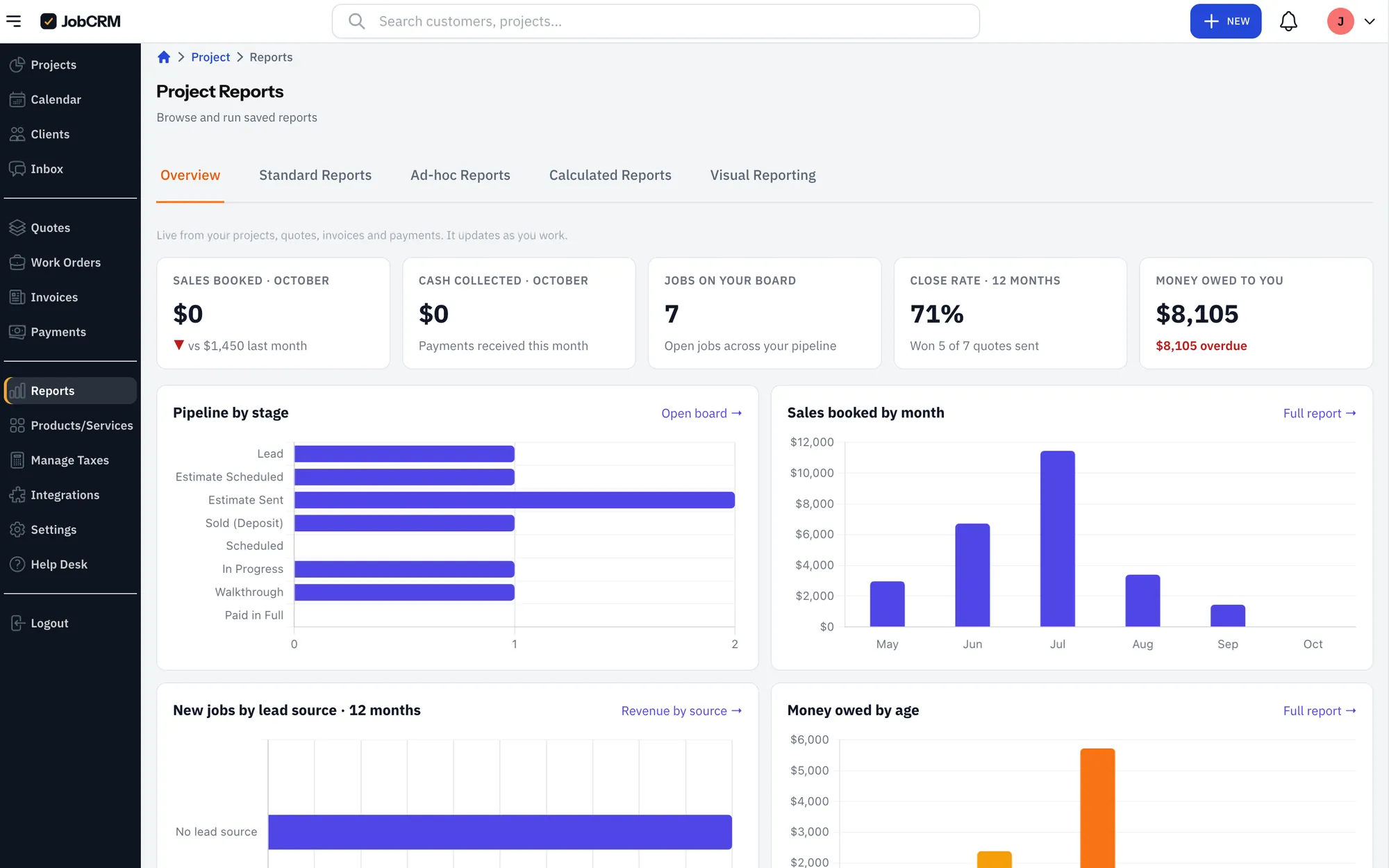
New in Claude: dashboards built from your live JobCRM data. See how to set one up

Who owes me“Which invoices are overdue, and how much is outstanding in total?”
Unbilled work“What did we finish or get approved that we haven’t invoiced yet?”
Schedule“Book a site visit with the Garcias next Tuesday at 9am for 90 minutes and show me the rest of my week.”
Dashboard“Show me revenue by month for the last 12 months, my pipeline by stage, and unpaid invoices by age.”
Quote from the truck“Draft a quote for the Hendersons: garage cabinets $4,800, slatwall and racks $1,350, epoxy floor $2,200.”
Ask about your real jobs“Which quotes have we sent that haven’t been approved, and which ones are going cold?”Sign in with your JobCRM email, or start a free trial right from Claude.

Fast, and you’re still the boss.

An assistant that can do real work needs real limits. These are built in, not settings you have to find.

You approve anything a client will see
Sending a quote or invoice always asks you first.
It can’t move money
It can send a pay link. Only your client can pay it.
Your team’s permissions still apply
It only sees the workspace you pick, and only what your role allows.
Your Claude and ChatGPT chats stay yours
In Claude or ChatGPT, we only receive the action you asked for, not your conversation. Disconnect any time.
From walkthrough to paid

The deposit’s paid before you pack up.

Send the quote from your phone during the consult. The homeowner approves and pays the deposit by card or bank before you leave, and the install goes on the calendar.

1Walk the garageMeasure the walls, ceiling and floor with the homeowner.
2QuoteText the job to the assistant. Cabinets, slatwall, racks and floor in one quote.
3DepositThe homeowner approves and pays online, right there.
4InstallSchedule the crew, share the finished photos, then invoice the balance.
A homeowner paying a deposit on her phone in her new garage, with her husband and the installer
✓ Deposit received$4,175Henderson garage · 50% deposit
Payments, built in

Take the money where you do the work.

Payments run inside JobCRM, so there’s no separate processor to sign up for, no second login and nothing to match up later. Deposits, final invoices, pay links and autopay all land on the job they belong to, and sync to QuickBooks Online.

Deposits on approval Pay links by text or email Autopay Automatic reminders Pass card fees on, if you want
How your client paysYou pay
Bank transfer1%
Credit or debit card2.9% + 30¢
Card, with the fee passed on to your client$0
Ask your assistant: “Send the Hendersons a pay link for the 50% deposit.” It drafts it, you approve, they pay.
Client portal

Your clients get their own portal.

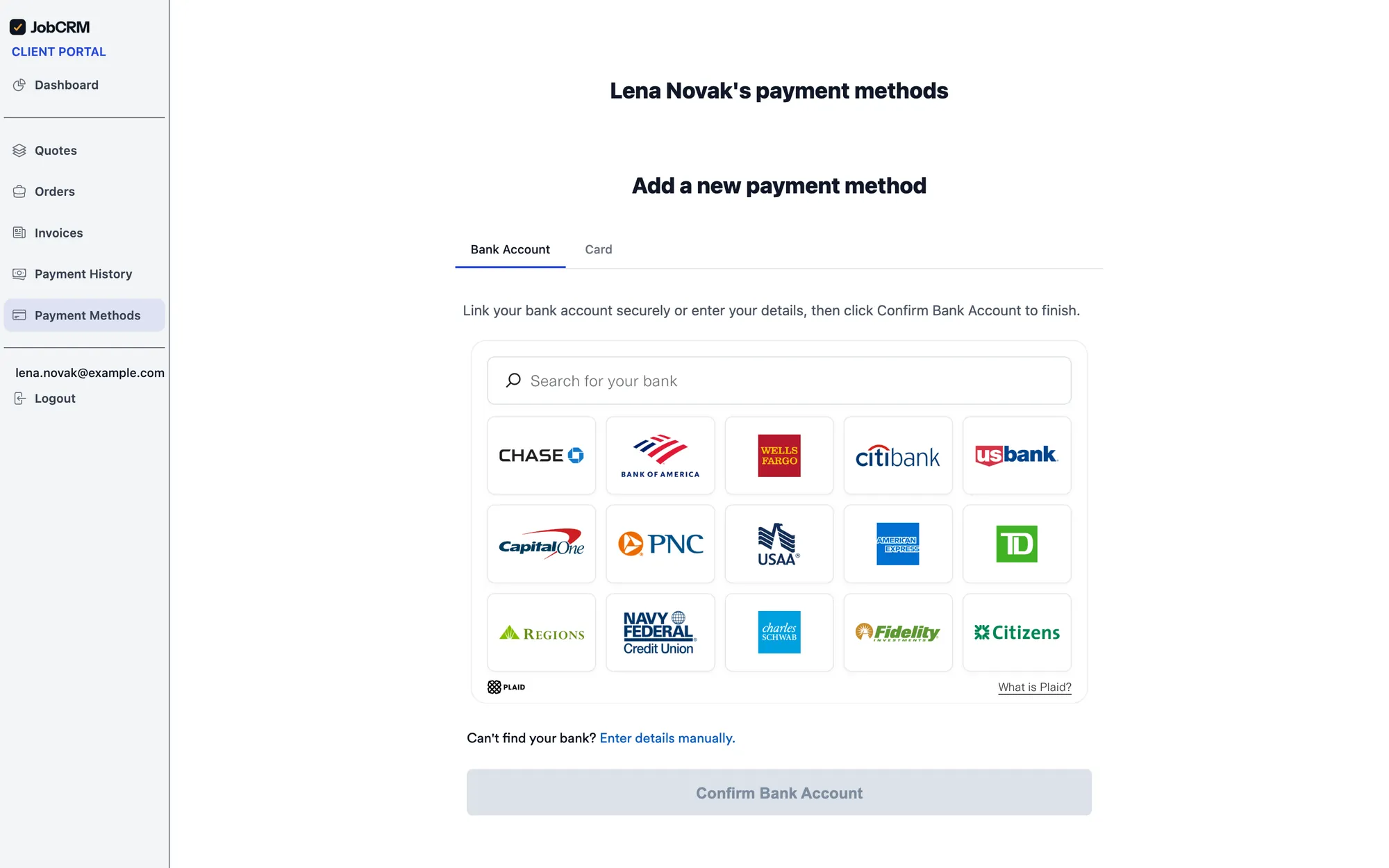
Clients log in under your logo and colors to approve and sign quotes, pay deposits and invoices by card or bank transfer, and see where their job stands, with install photos. Fewer “where’s my job?” calls, and you get paid sooner.

Approve and sign quotes Pay deposits and invoices Job status and install photos Your logo and colors
Your client’s portalNguyen residence
Quote Q-1043 · KitchenCabinets, countertops, installationApprove and sign
Deposit invoice · $6,600.00Card or bank transferPay now
Job status8 install photos added FridayInstalled
“80% fewer phone calls. Paid faster. Customers love the portal.” Scott R., President, Eagle Woodworking

Everything a job needs.

No assistant required. Everything works in the app and on your phone.
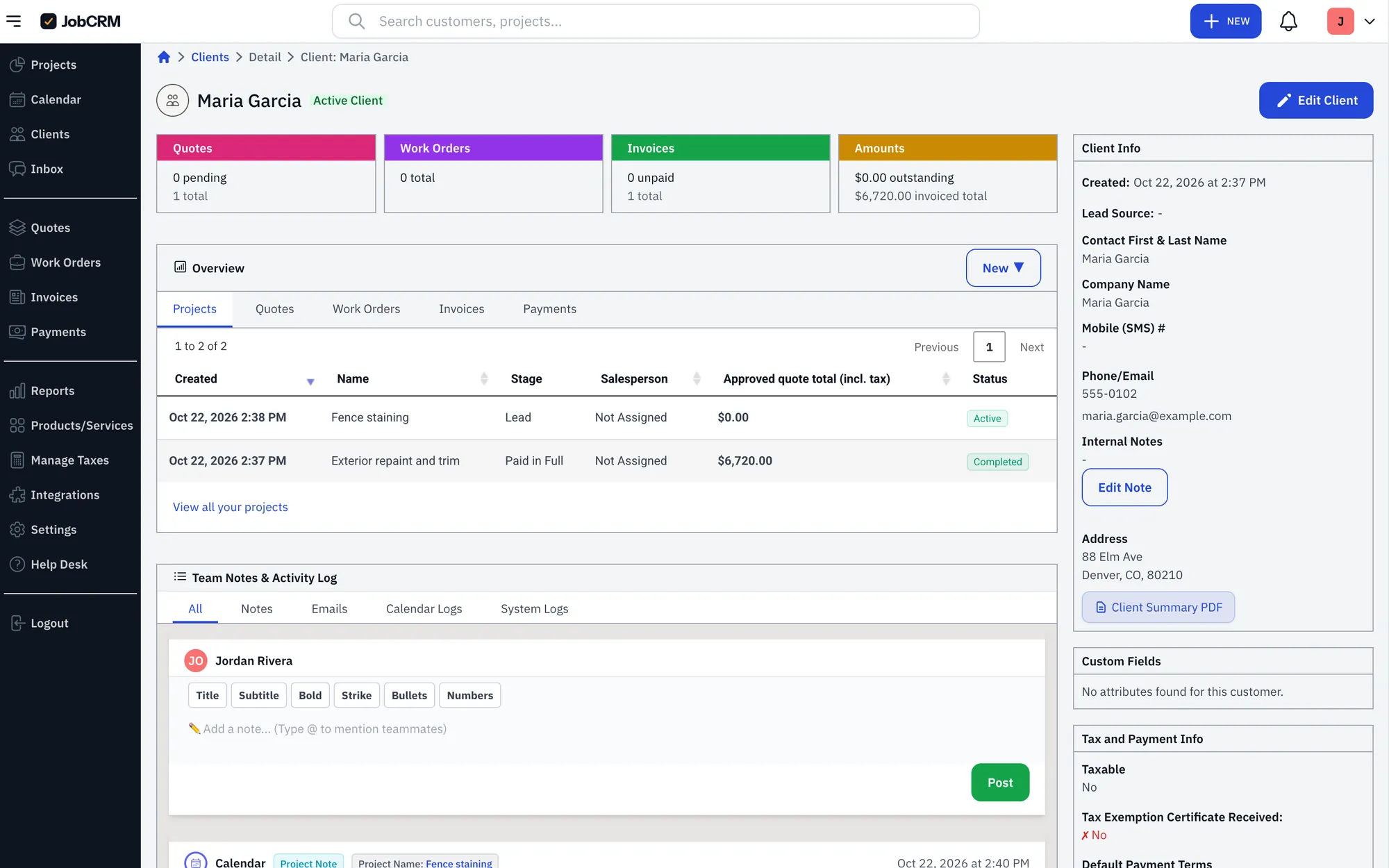
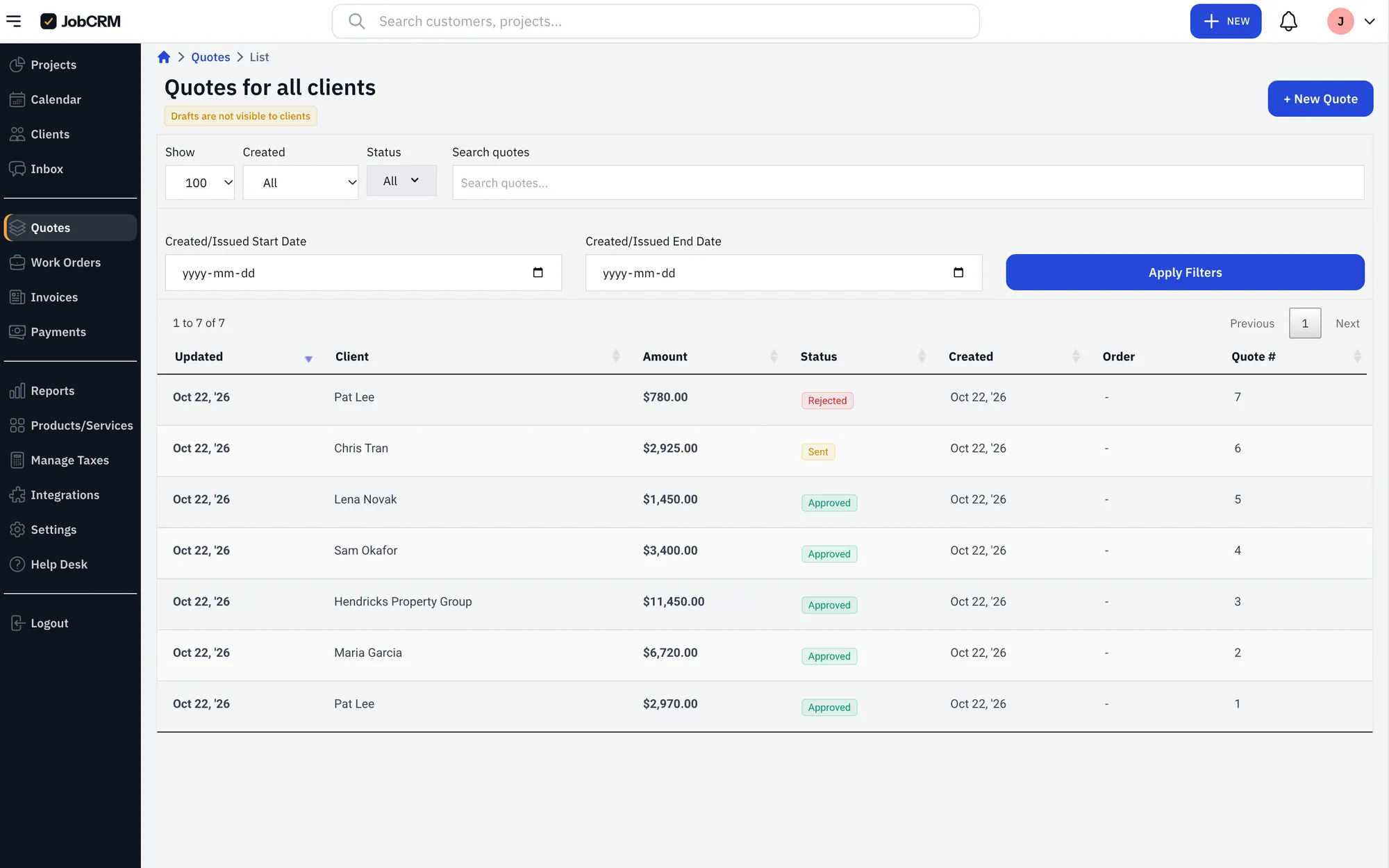
A client record in JobCRM with projects, quotes, invoices and notes
Leads and clients Every lead, call and job history on one client record. Website leads land here automatically.
1 / 6
Switching

Switching from another app?

Export your clients and price list from the software you use now, QuickBooks or a spreadsheet, and upload the file. JobCRM matches the columns for you, so you’re quoting the same afternoon.

Simple pricing.

Try Advanced free for 14 days. No card until you decide.

Basic$99 / month1 user. Clients, quotes, scheduling, invoices, payments and the AI assistant.
Essential$249 / month5 users. Adds automations, automatic reminders and QuickBooks sync.
Free for 14 daysAdvanced$399 / month10 users. Adds the ClosetPro integration, two-way texting, and text and email campaigns.

AI assistant on every plan. Extra users $50 / month each. Payments: cards 2.9% + 30¢, bank transfers 1%.

Start your free trial Compare everything in each plan →

FAQs

What software do garage organization companies use?
Many use a CRM, a quoting spreadsheet and a separate card reader. JobCRM puts the whole garage job in one app: the consult, one quote for cabinets, slatwall, overhead racks and floor coatings, the deposit, the install schedule and the final invoice, with card and bank payments built in.
Can I quote a garage job from my phone during the consult?
Yes. Text the job to the AI assistant or build the quote yourself, and send it before you leave. The homeowner approves it and pays the deposit online by card or bank transfer.
Is JobCRM set up for garage companies?
Yes. Your job stages are ready from the consult to paid in full, with a Go Back stage for punch-list visits, and starter items for cabinets, slatwall, overhead racks and floor coatings are already in.
Is JobCRM a standalone app?
Yes. It’s a complete app that works in any browser on your phone, tablet or computer. Connecting Claude or ChatGPT is optional.
How long does setup take?
A few minutes. Pick your trade at signup and your job stages and starter price list are ready. Then bring in your clients and send your first quote.
Can I bring my clients and price list over?
Yes. Upload a spreadsheet or an export from the software you use now, and JobCRM matches the columns for you. Anyone already in your account is skipped.
Can my clients pay online?
Yes. Clients pay by card or bank transfer from the quote or invoice link, and you can pass card fees on to them.
Does the AI assistant send things without asking?
No. It asks you before anything reaches a client, and it can never move money.
What happens after the 14-day trial?
Pick a plan and add a card to keep going. If you don’t, your account pauses. Nothing is deleted.

Your next quote can be one sentence.

Start your free trial Add to Claude or ChatGPT

14 days free, no card needed.