Run your woodworking shop with an AI assistant.
Quote the build, get the details signed, order the parts and know your margin, with an AI assistant that does the typing. Lead to paid, in one place.
Set up in a few minutes. 14 days free, no card needed.
“It streamlines our orders, invoices, and payments, leading to enhanced customer communication, increased revenue, and improved AR and cash flow.”
“It’s the best money we spend every month. It’s been a godsend for us.”
“It’s like moving from a Honda to a Bentley.”
A complete app. Use it on its own, or with Claude or ChatGPT.
Built for shops that order parts for every job.
Most software stops at the signed quote. A millwork job is won or lost after it: the right species and finish, the right parts, in the shop when you need them, at a cost that leaves you a margin.
Snap the parts list. The order writes itself.
Take a photo of your sketch, cut list or supplier quote, or upload the list from your design software. The assistant reads every line into a purchase order, with sizes exactly as you wrote them. Check it, then email it to your supplier from the job.
- Sizes are copied, never calculated
- Works with a photo, a PDF or a spreadsheet
- Reorder the same parts in one click
Talk through the visit on the drive back.
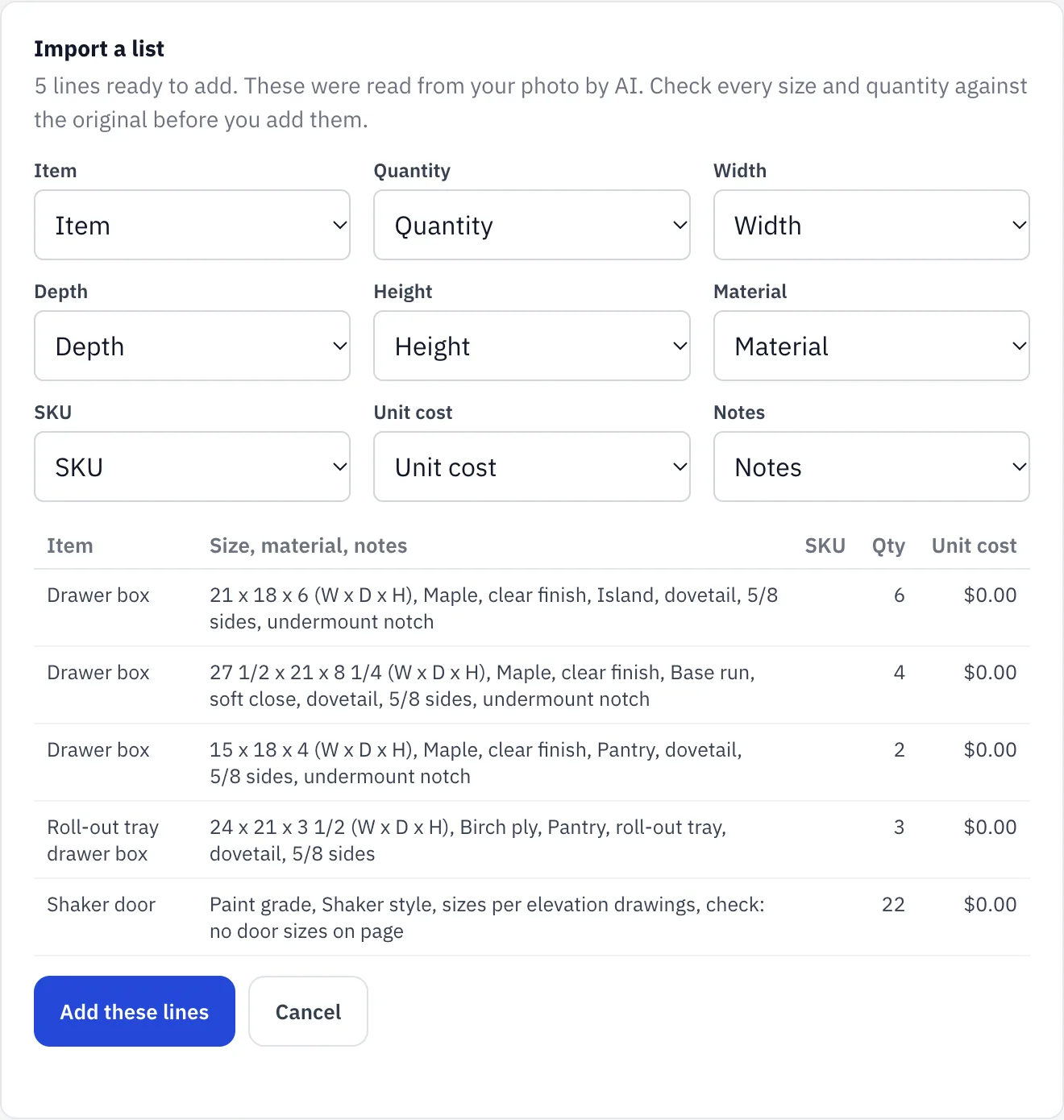
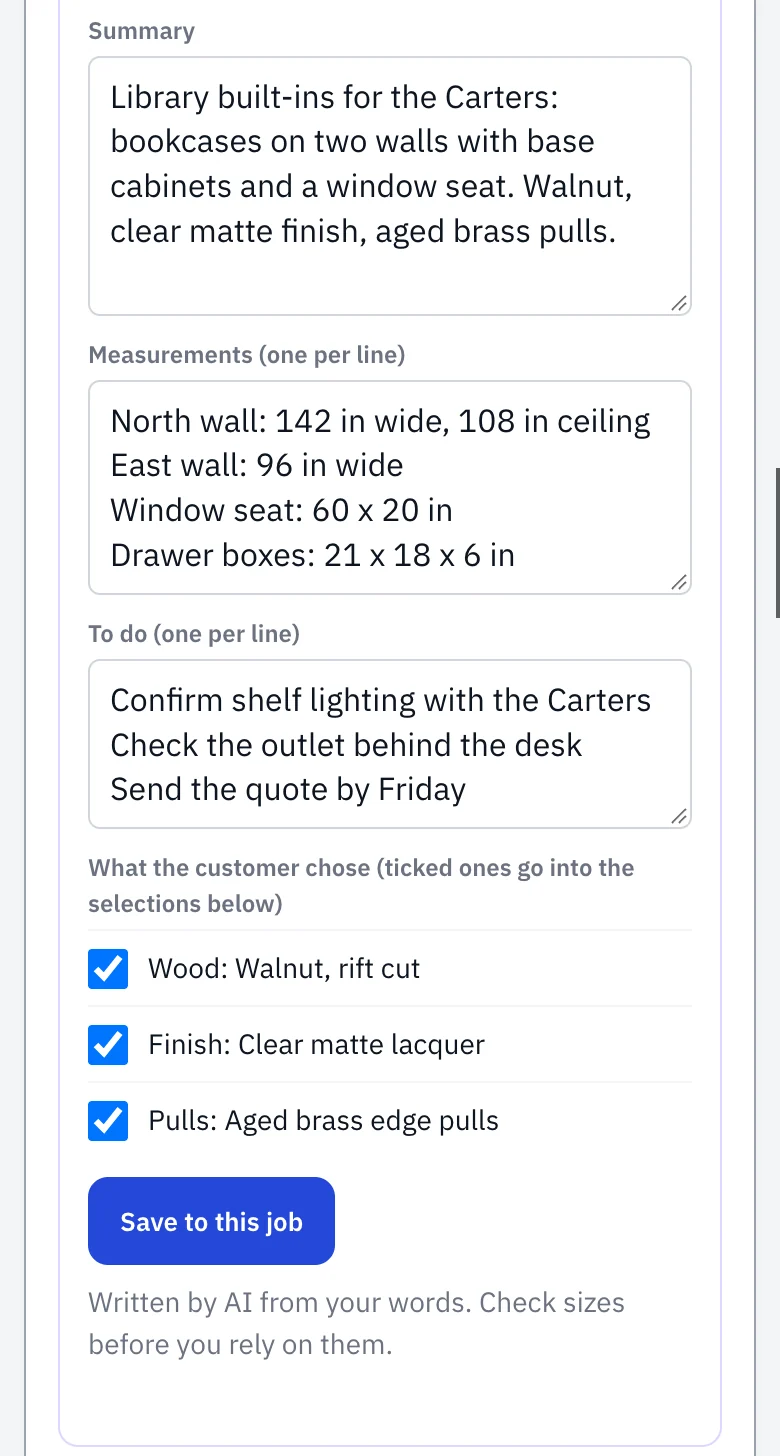
Tap the microphone and say what you measured and what they picked. You get clean notes, the sizes as you said them, a to-do list and the customer’s choices, saved to the job. Anything they were unsure about becomes a reminder to confirm, not a decision.
- No typing in the truck
- You check it before anything is saved
- The choices go straight onto the job
Door style, finish, hardware: signed before you order.
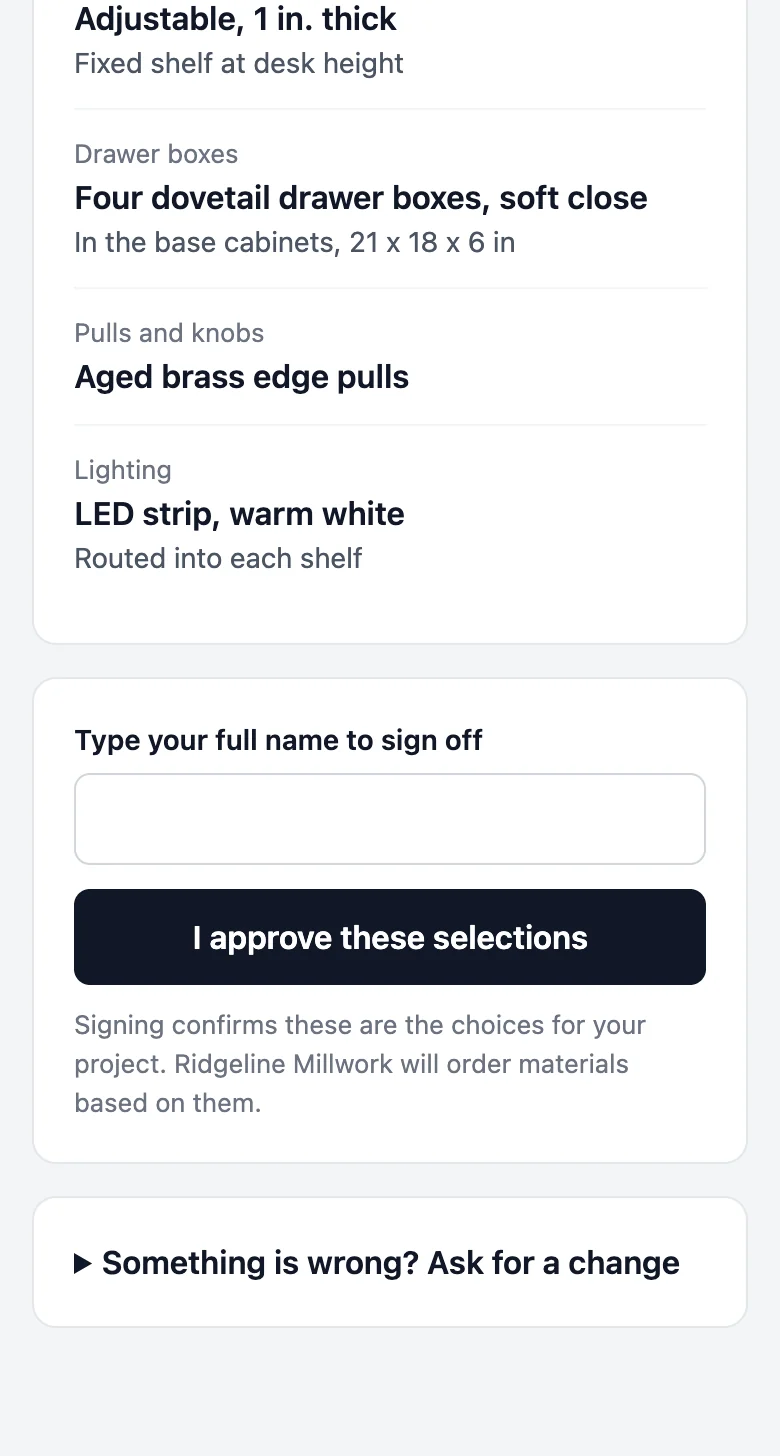
List what the customer chose and send a link. They sign on their phone, or tell you what to change. If they change their mind after the parts arrive, you have it in writing, and the job warns you before you order anything unsigned.
- Signed from a phone in a minute
- Kept exactly as signed
- A warning before you order unsigned
Know what the job makes while you can still fix it.
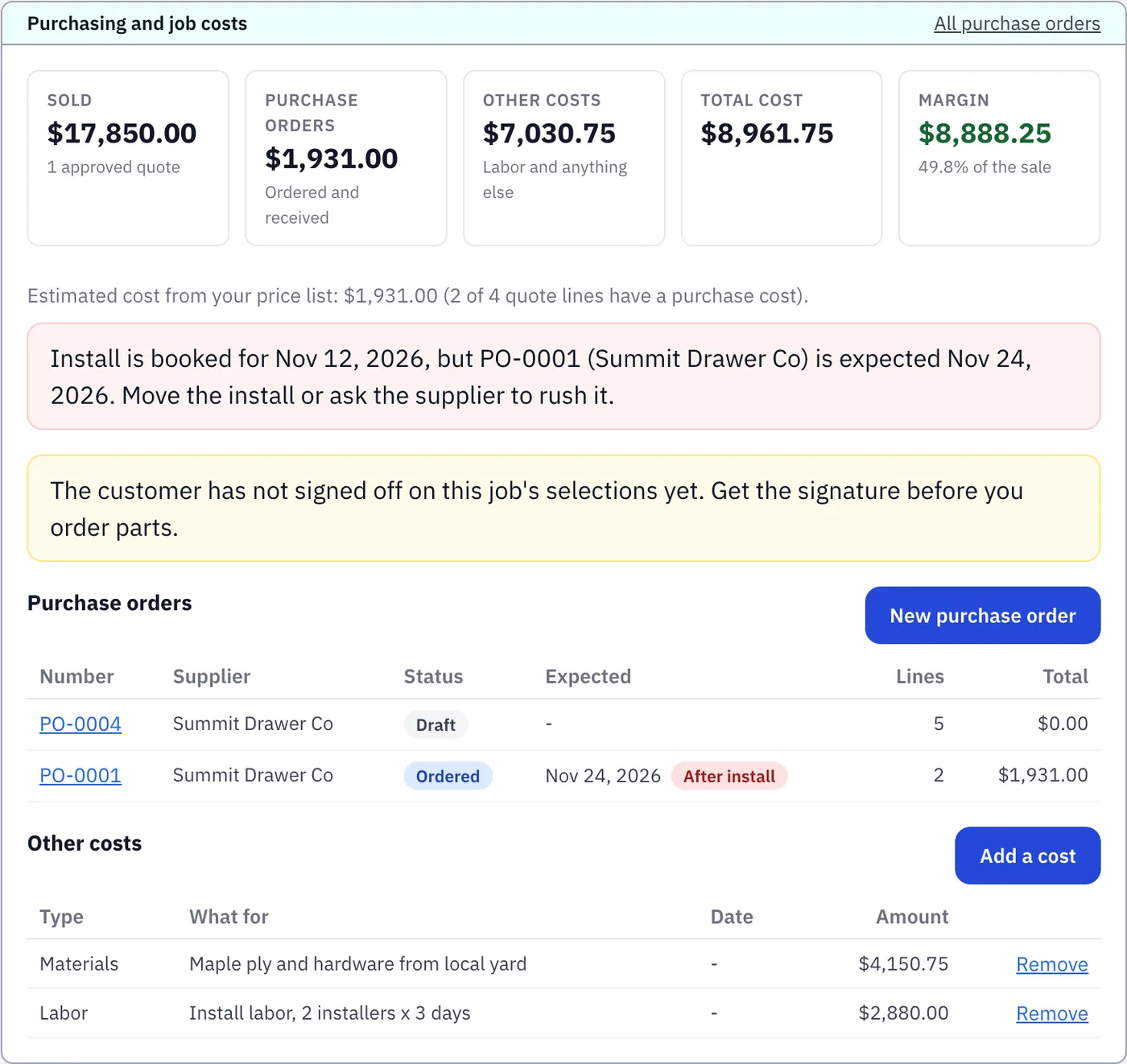
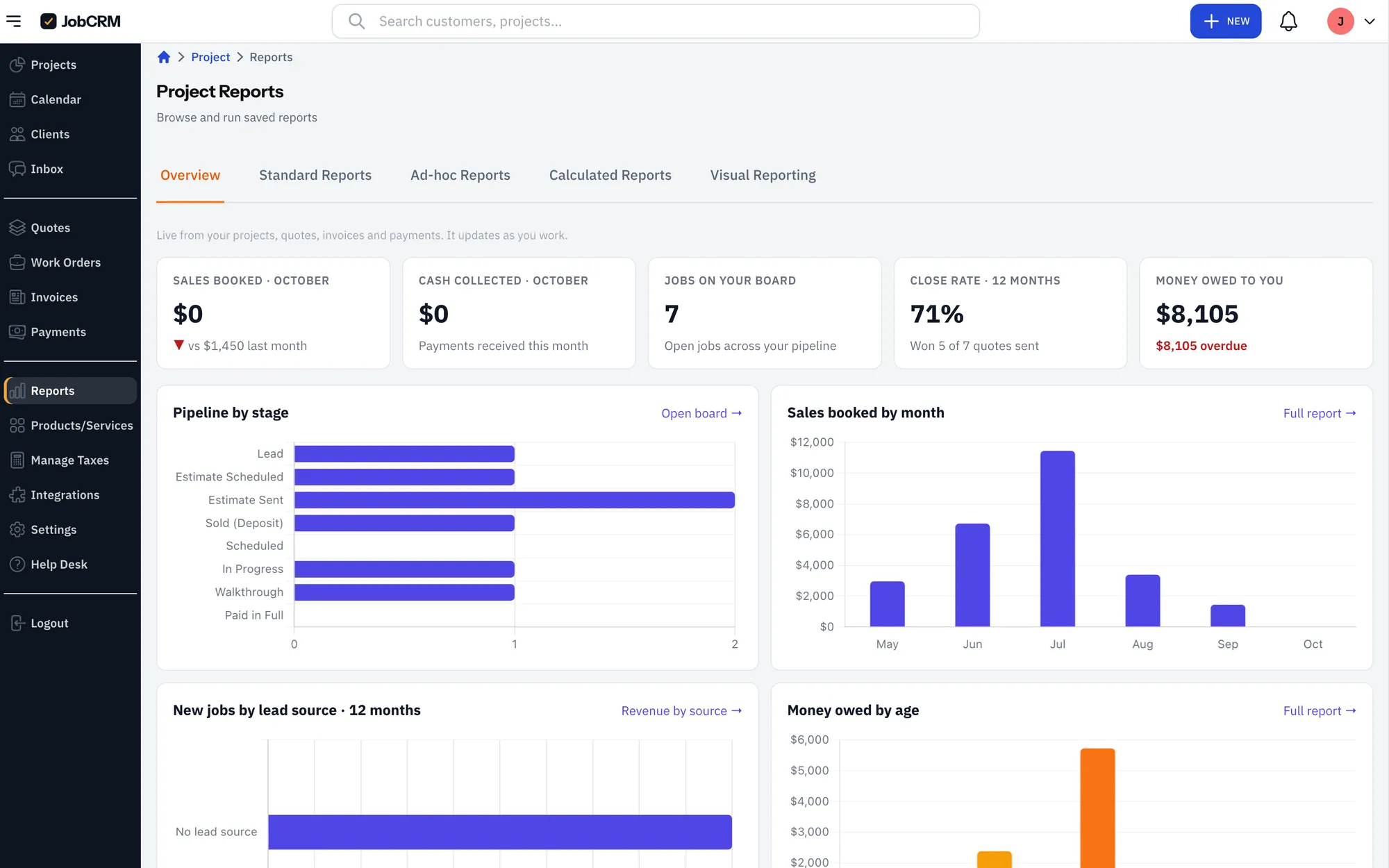
Parts orders, materials and labor sit on the job next to what you sold it for, so the margin is there every time you open it. If parts are due after the install date, the job tells you in time to move one of them.
- Sold price, costs and margin on one screen
- A warning when parts land after the install
- No spreadsheet to keep in step
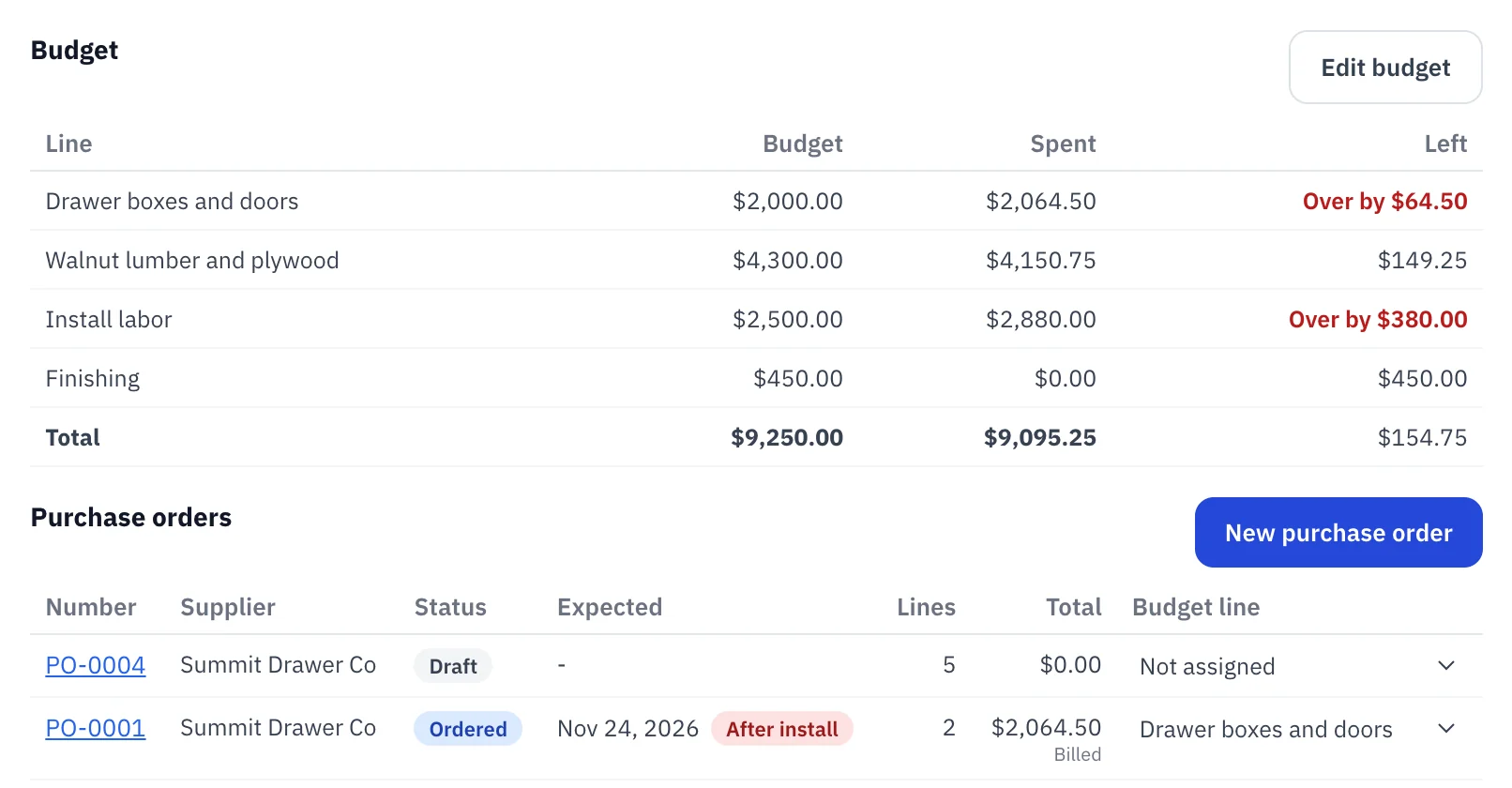
A budget for every part of the job.
Start the budget from the quote in one click. Every parts order and cost counts toward a line, and when the supplier’s bill comes in higher than the order, the job shows it. You see which part of the job went over, and what you still owe your suppliers.
- Budget, spent and left for each part of the job
- The supplier’s bill becomes the real cost
- What you owe suppliers, soonest due first
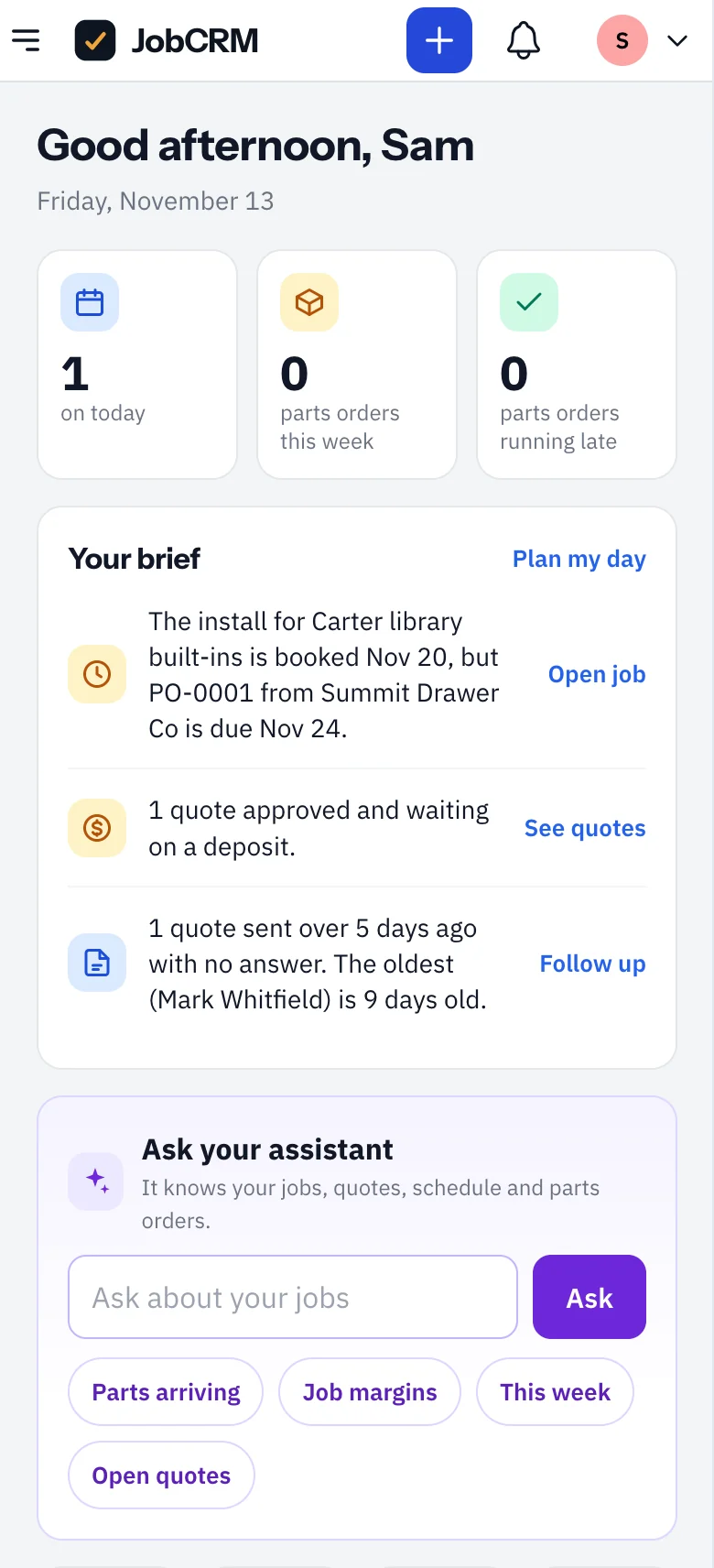
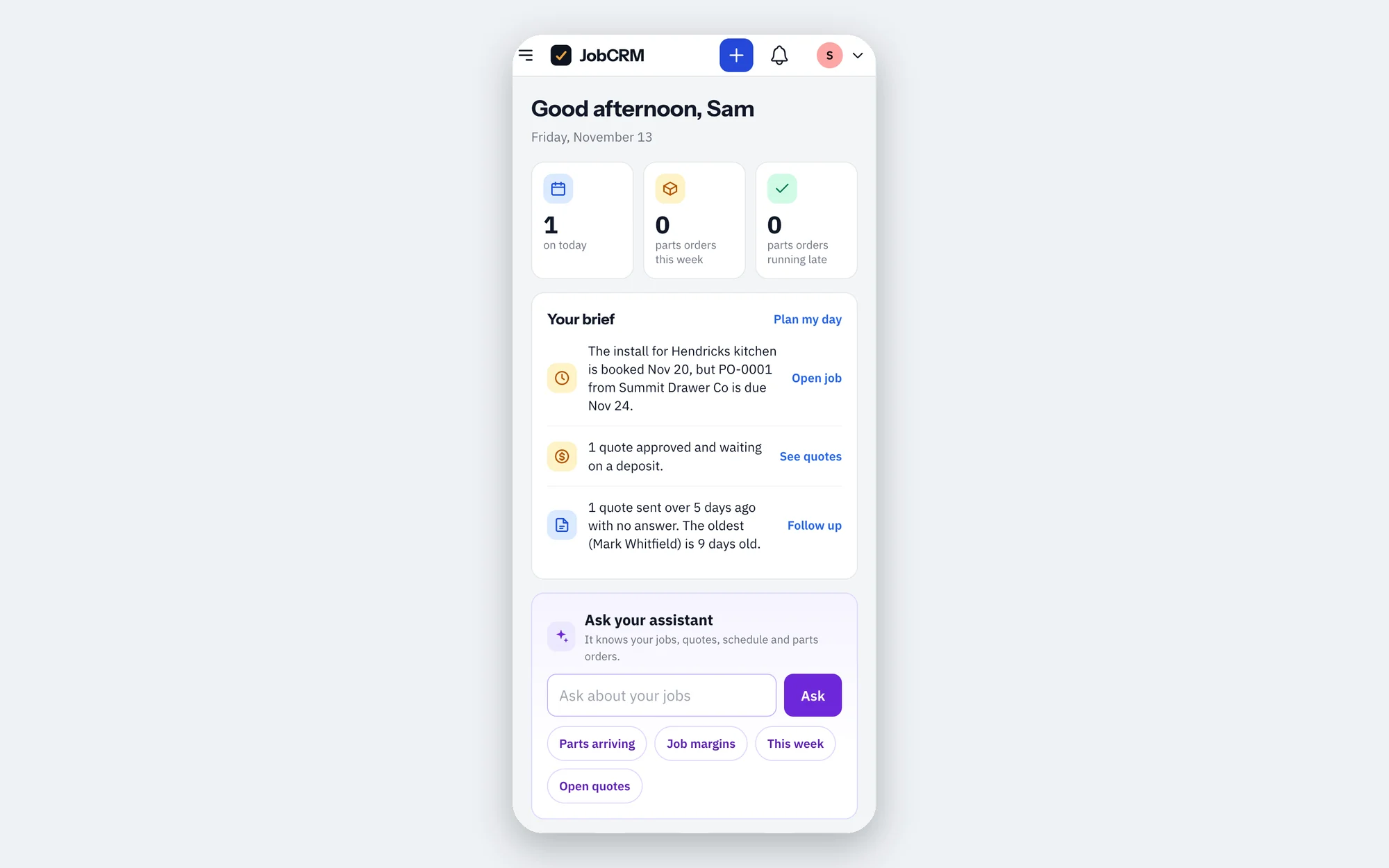
Start the day knowing what needs you.
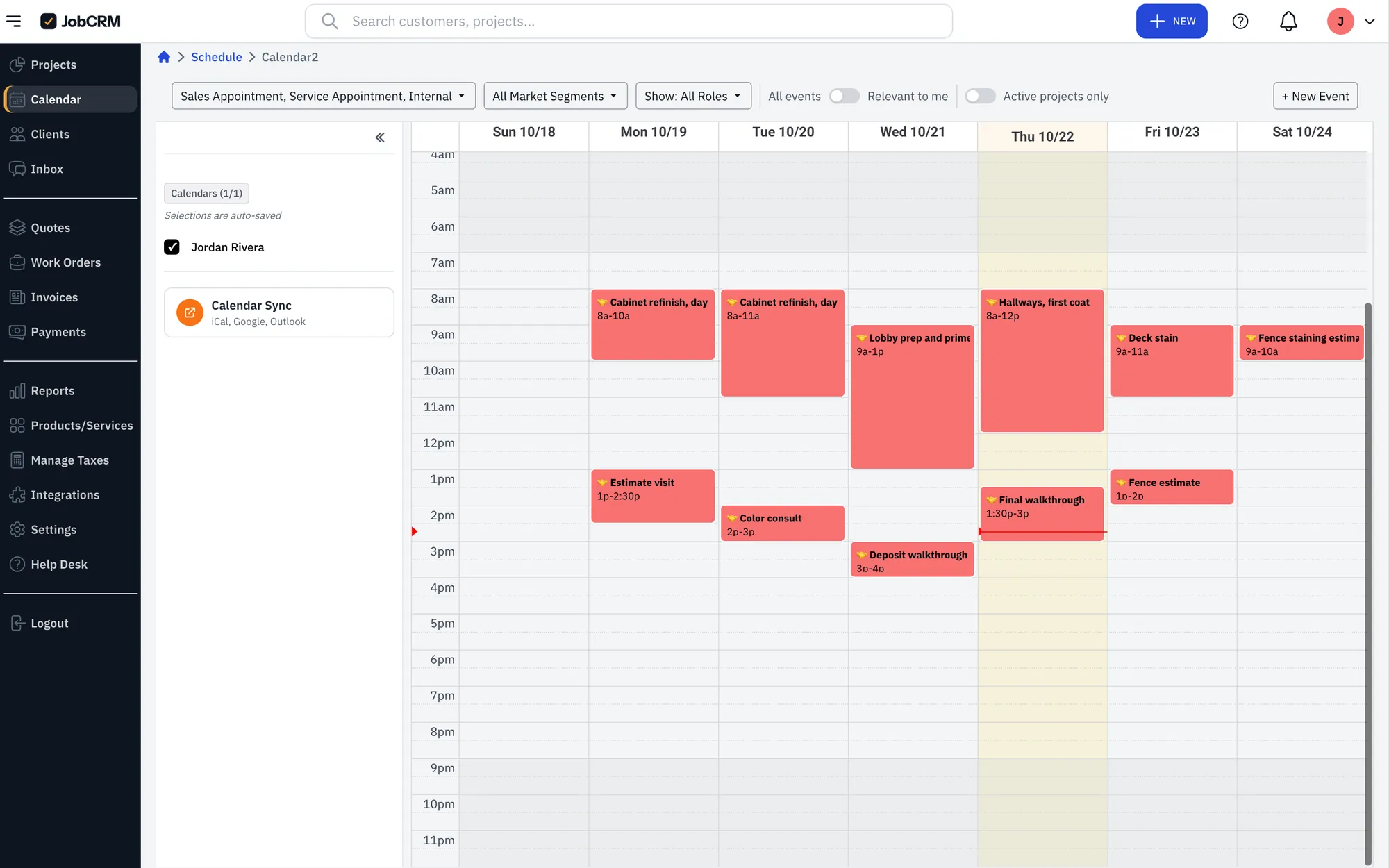
Today’s measures and installs with one tap to call or get directions, the parts on their way, and a short list of what to chase: late orders, selections not signed, deposits not paid, quotes gone quiet. Ask the assistant anything else.
- Add it to your home screen
- Call or get directions from the schedule
- Ask about any job in plain words
Set up for a woodworking shop in a few minutes.
Choose millwork or woodworking at signup and your job stages are ready, from the site visit to delivered and paid, with a starter price list for custom builds, materials, design and drafting, finishing, delivery and installation. Cabinet shops can choose cabinets instead.
- 1Lead
- 2Site Visit
- 3Design
- 4Quote Sent
- 5Sold (Deposit)
- 6In Production
- 7Finishing
- 8Ready for Delivery
- 9Delivered
- 10Paid in Full
Ask it the way you’d ask your office manager.
Use the assistant inside JobCRM, or connect the one you already use. Either way it reads and writes your real records: clients, jobs, quotes, invoices, your schedule and price list. No exporting, no copy and paste.
New in Claude: dashboards built from your live JobCRM data. See how to set one up
Fast, and you’re still the boss.
An assistant that can do real work needs real limits. These are built in, not settings you have to find.
Take the money where you do the work.
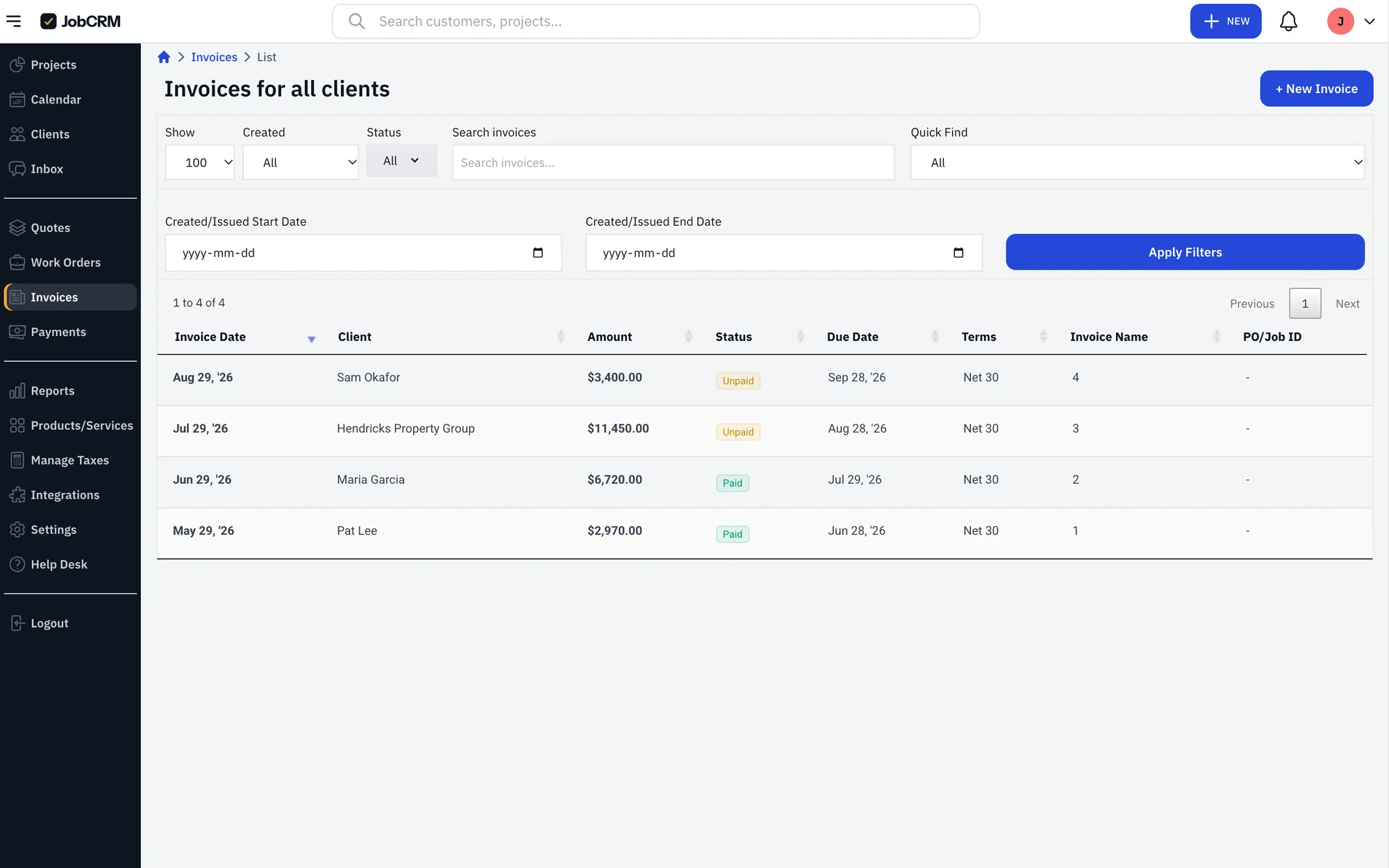
Payments run inside JobCRM, so there’s no separate processor to sign up for, no second login and nothing to match up later. Deposits, final invoices, pay links and autopay all land on the job they belong to, and sync to QuickBooks Online.
Your clients get their own portal.
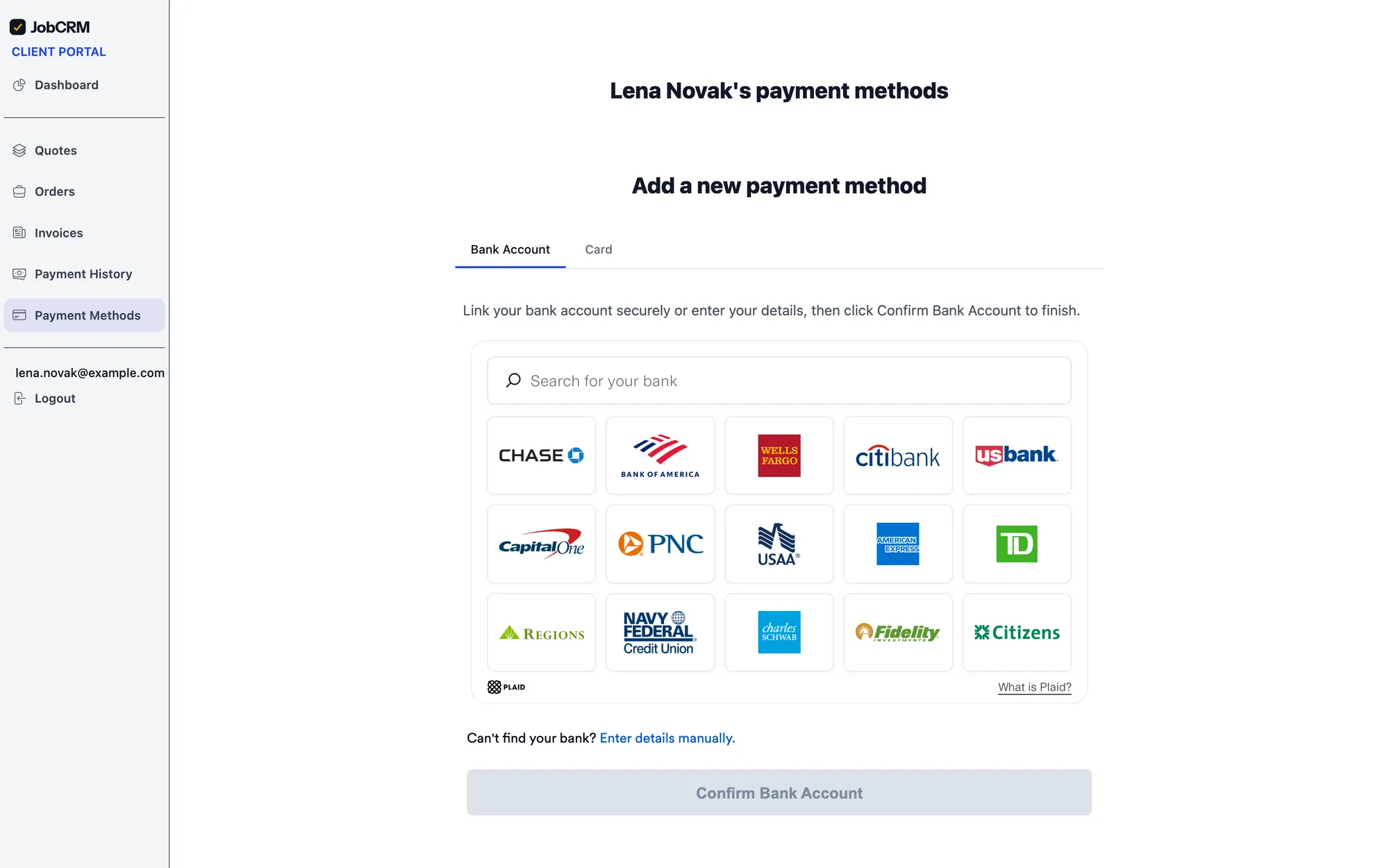
Clients log in under your logo and colors to approve and sign quotes, pay deposits and invoices by card or bank transfer, and see where their job stands, with install photos. Fewer “where’s my job?” calls, and you get paid sooner.
Need a finish, color or hardware choice in writing? Send a sign-off link and your client signs on their phone, before you order anything.
Everything a job needs.
No assistant required. Everything works in the app and on your phone.
Switching from another app?
Export your clients and price list from the software you use now, QuickBooks or a spreadsheet, and upload the file. JobCRM matches the columns for you, so you’re quoting the same afternoon.
Simple pricing.
Try Advanced free for 14 days. No card until you decide.
AI assistant on every plan. Extra users $50 / month each. Payments: cards 2.9% + 30¢, bank transfers 1%.
FAQs
Your next quote can be one sentence.
14 days free, no card needed.